
Set up your bike.
Save bike profiles with the weight and riding details the calculation needs. Switch profiles when you change bikes.
Speed alone can miss the story. Ride Compute puts a number to the work of moving you and your bike, using the phone on your bars.
Explore the approximationAn approximation, not a power-meter measurement.
What goes into a watt?
Gravity on a climb. Air resistance as speed builds. Tyres rolling over the road. Each adds to the work of riding.
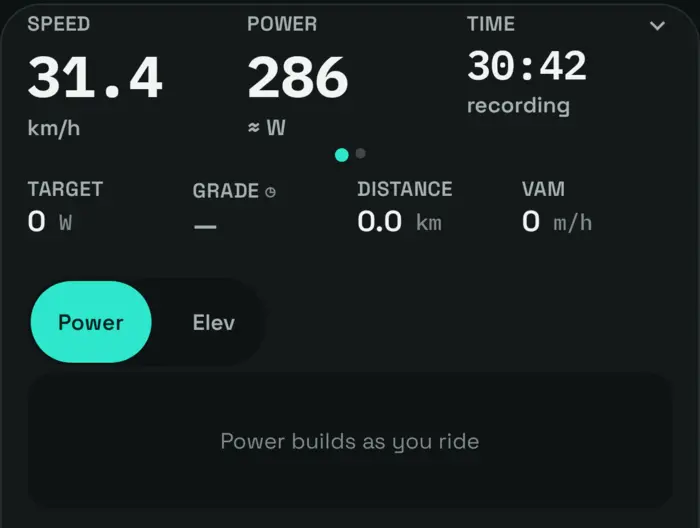
The app combines movement, gradient, acceleration, bike settings and available wind information to approximate power. Try changing speed and gradient to see the basic relationship.
Phone sensors, wind, riding position and bike setup all affect the result. No accuracy percentage has been established.
Feel the difference Simplified illustration
An illustration, not a ride measurement. Assumes 85 kg for rider and bike, no wind, and fixed drag and rolling resistance. The app uses additional inputs.
Make it your setup
A little setup helps the approximation reflect the way you ride.
Save bike profiles with the weight and riding details the calculation needs. Switch profiles when you change bikes.
Use a coast-down session to help adjust drag and rolling resistance. Choose a suitable, safe place for the session.
Connect compatible Bluetooth speed, cadence, heart-rate or power sensors. A paired power meter provides measured power.
Questions, answered
It is an approximation, and there is no validated accuracy percentage to quote. Phone placement, gradient, wind, acceleration, drafting and your bike settings can affect it. Use a calibrated power meter when you need measured power.
No power meter is required for the phone-based approximation. If you already have a compatible Bluetooth power meter, the app can use its measured readings.
The app depends on usable movement and sensor data. Reception, sensor quality, calibration and changing conditions can affect what is shown. A power number should always be read in the context of the ride.
Assistance changes how much of the bike’s motion comes from the rider. The app includes e-bike settings, but an approximation from motion alone is not a direct measurement of your pedal power.